StackQuil Download Manager · macOS and Windows

One file,thirty-two connections.

SQDM splits a download into parts, fetches them at the same time and writes each one straight to its place on your disk. When a part finishes early, it takes over half of the slowest one — so the last percent never drags.

SQDM runs on macOS and Windows computers. Open this page on one to download.

  • 30 days free · every feature
  • No account
  • macOS · Windows · English / हिन्दी
ubuntu-24.04-desktop-amd64.iso5.7 GB
Connections
8
Parts
8
Done
40.9 %
Live model of how SQDM splits a file. Each block is one connection.

The app

Everything on one screen.

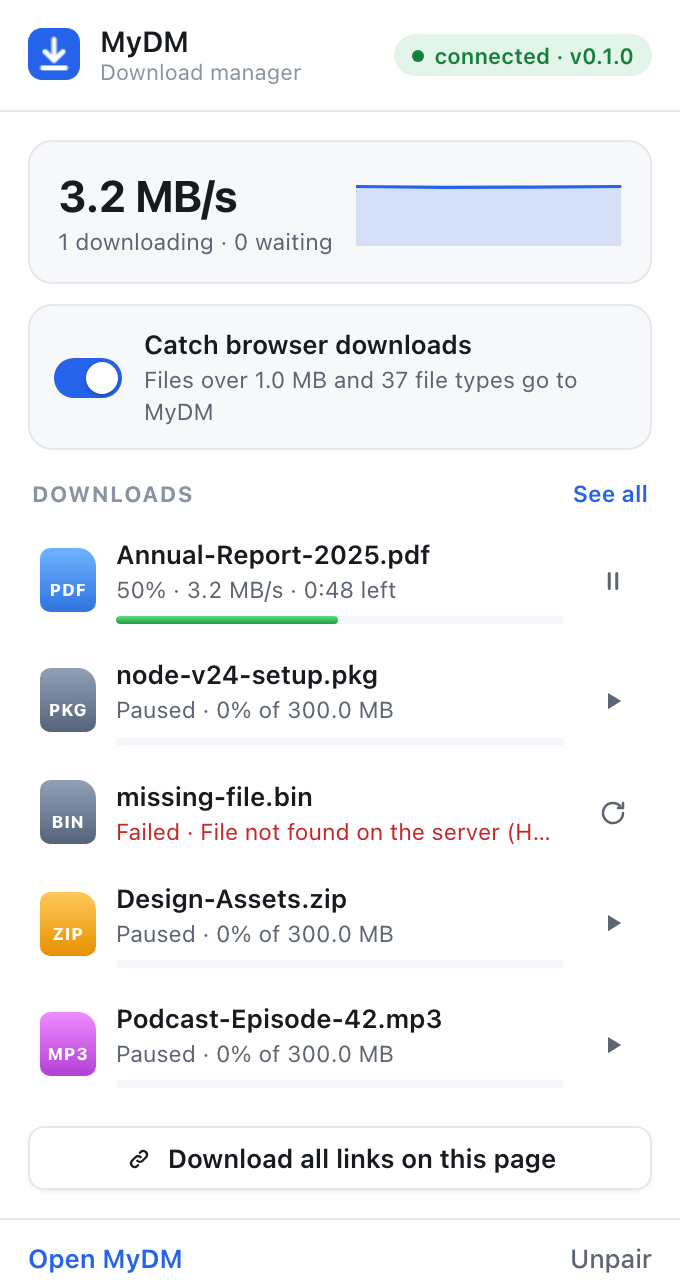
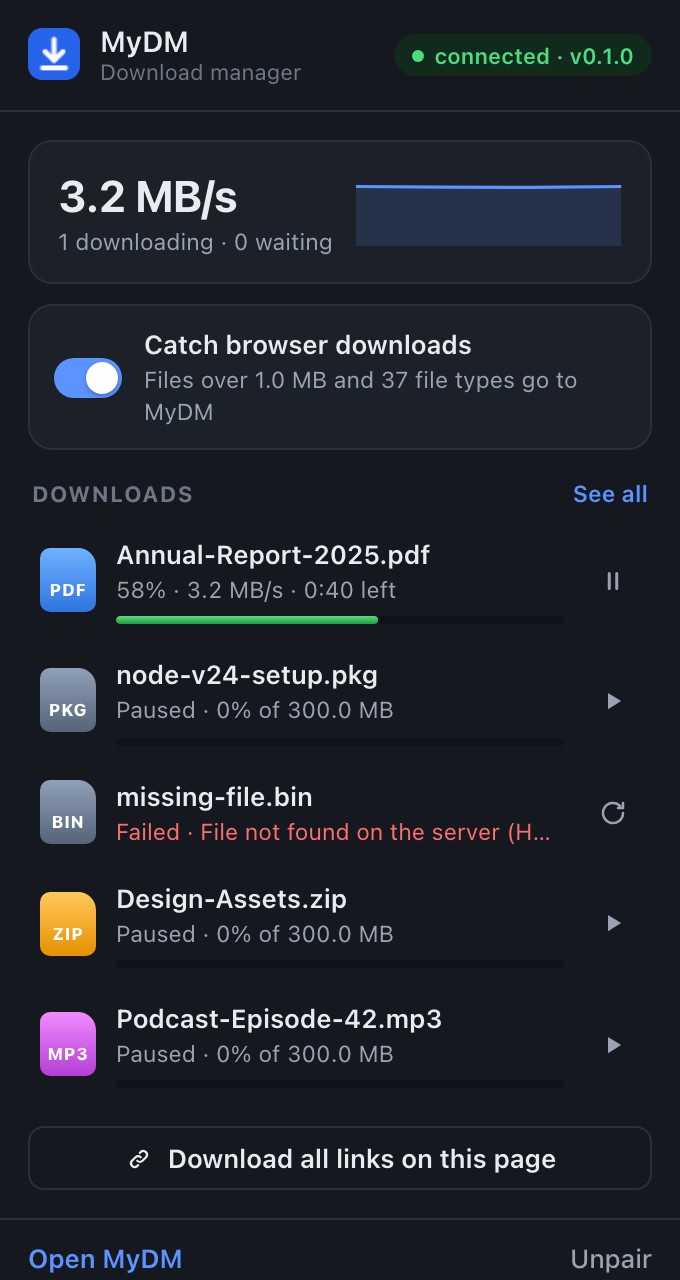
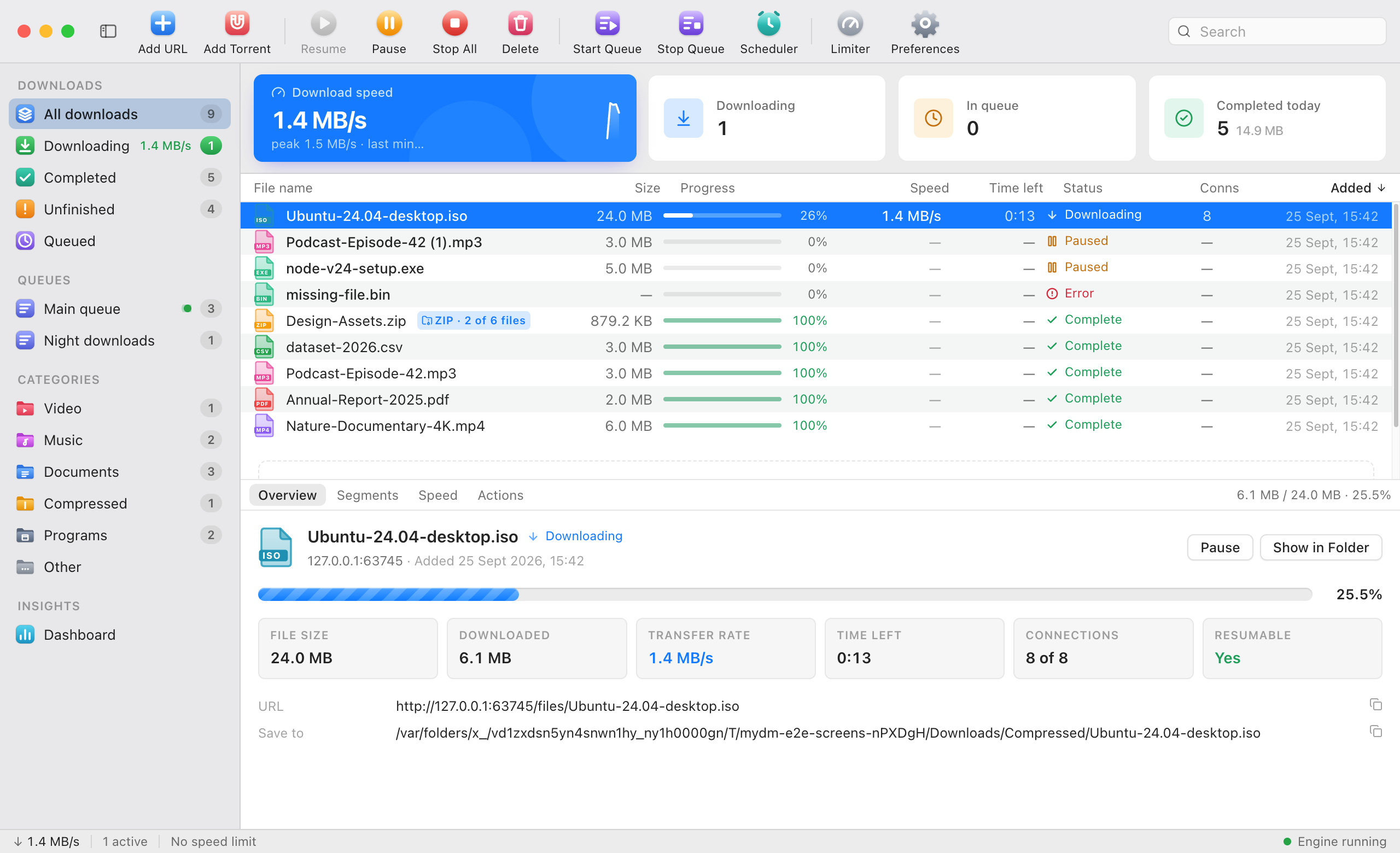
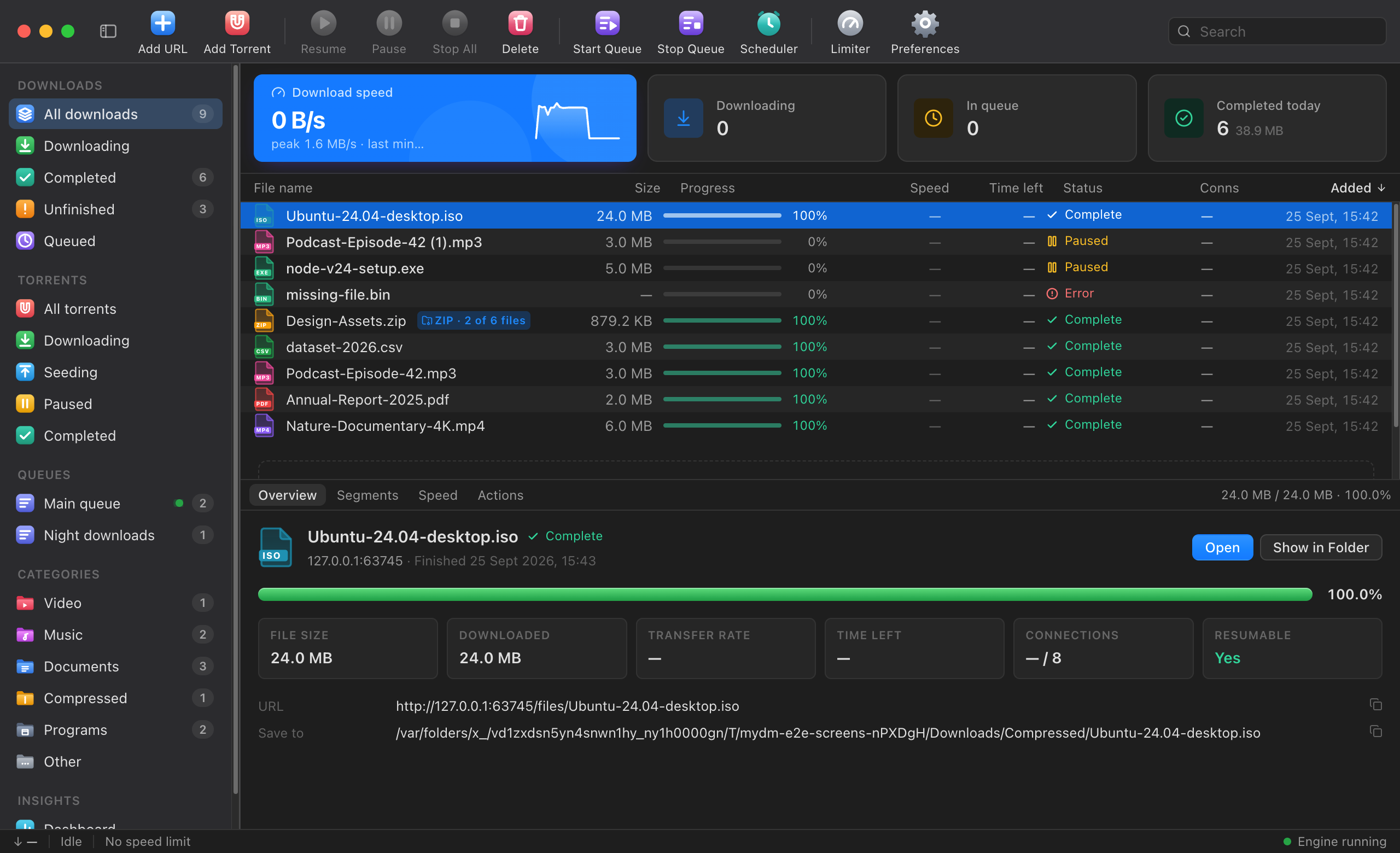
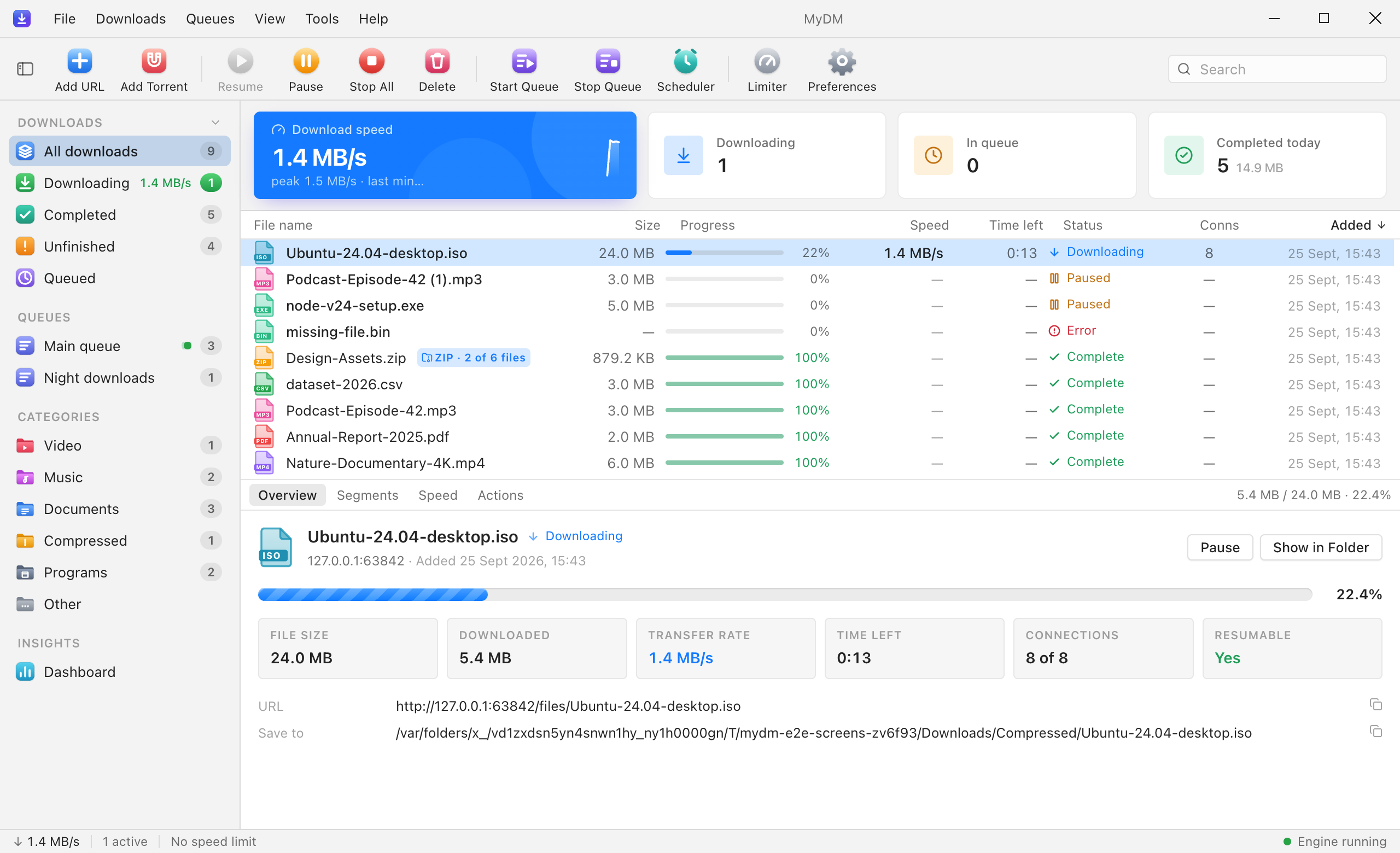
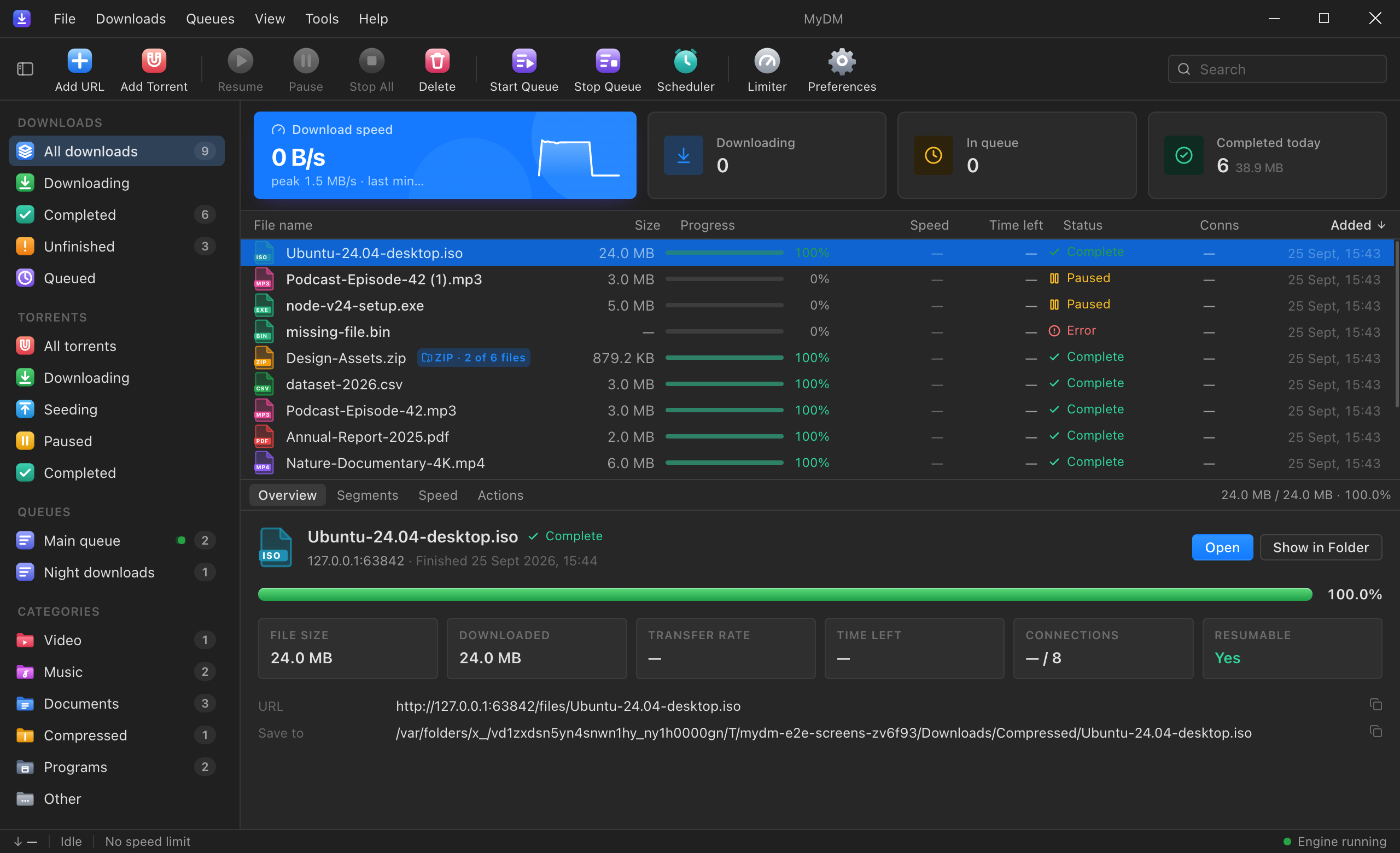
A native window on each system: the Mac version uses the macOS toolbar and menu bar, the Windows version its own title bar and menus. Same features, same shortcuts.

SQDM on macOS, light: toolbar, sidebar with queues and categories, the download list, and details of a running download.
SQDM on macOS, dark: toolbar, sidebar with queues and categories, the download list, and details of a running download.
SQDM on Windows, light: menu bar and title bar, toolbar, sidebar, the download list, and details of a running download.
SQDM on Windows, dark: menu bar and title bar, toolbar, sidebar, the download list, and details of a running download.
macOS, light and dark follow the system.Windows build — Windows title bar, menu bar and caption buttons.
  1. 1Total speed of everything running, with the last minute as a graph.
  2. 2Connections in use for each file.
  3. 3Size, time left, connections, and whether the server lets it resume.
  4. 4The sidebar: downloads by state, queues and category folders.

Why SQDM

Big files, handled properly.

  1. Keep large downloads moving.

    Each file is split across up to 32 connections at once — 8 by default.

  2. No slow last percent.

    A part that finishes early takes over half of the slowest one, so the end never drags.

  3. Pick up where you left off.

    Resumes after a crash or a reboot, and first checks the file hasn’t changed on the server.

  4. Polite to servers.

    If a site answers 429 or 503, SQDM uses fewer connections and remembers that site’s limit.

  5. Use every network you have.

    Optional bonding sends parts of one file over broadband and a phone hotspot together.

  6. Let it finish the job.

    After a download: unpack, scan with ClamAV or Microsoft Defender, move, rename or run a command.

SQDM vs a normal browser download

SQDM vs a normal browser download
WhatBrowserSQDM
Connections per fileUsually oneUp to 32 (8 by default)
The last few percentWaits on the slowest connectionFinished parts take over unfinished ones
Crash or reboot mid-downloadOften starts againResumes, after checking the file didn’t change
Servers that limit youKeeps retrying the same wayBacks off and remembers the site’s limit
When it’s doneThe file sits in DownloadsUnpack, virus scan, move, rename or run a command
OrganisingOne download listQueues, scheduler, monthly data cap, sleep or shut down when done

Speed depends on the server: SQDM helps most where a server limits each connection. If a server won’t send parts, SQDM uses one connection like the browser does.

How it gets the speed

Many small downloads instead of one big one.

Most servers cap each connection, not each person. One connection to a busy mirror might crawl at 1 MB/s while your line could take twenty times that. SQDM opens several and keeps them all busy.

  1. 01

    Ask first

    A tiny request (the first byte) tells SQDM the size, the real file name and whether the server can send parts.

  2. 02

    Split

    The file is cut into parts — 8 by default, up to 32 — and each part gets its own connection.

  3. 03

    Steal work

    A part that finishes early takes over half of the part with the most left. No connection sits idle.

  4. 04

    Write in place

    Every part writes straight into its position in one pre-sized file. Nothing to join at the end.

8
This setup
—
One connection
—
Difference
—

Simulation: a 200 MB file, a server that allows about 1 MB/s per connection, a 25 MB/s line.

If a server starts refusing (HTTP 429 or 503), SQDM drops connections instead of hammering it, and remembers the limit for that site next time.

Beyond speed

More than a faster download.

Two networks, broadband and a phone hotspot, each carry different parts of the same file, which come together into one file on disk.BroadbandPhone hotspotOne filevia broadbandvia phone hotspot

Two networks, one file.

Have broadband and a phone hotspot? Turn on bonding and SQDM sends parts of the same file over both. It weighs each network by how fast it really is, and if one drops, its parts move to the other without starting over.

  • Off by default. You choose which networks it may use and can cap each one.
  • Some systems route by destination and ignore the chosen network. SQDM checks each network before using it and tells you if it can’t.
  • Torrents never use bonding.

Take three files out of a 9 GB ZIP.

SQDM reads a remote ZIP’s table of contents without downloading it. Tick the files you need and it fetches only their bytes, then unpacks them and checks each one’s CRC.

  • Needs a server that sends parts of files (most do).
  • Stored and Deflate entries only. Encrypted or other formats are shown greyed out, with the option to download the whole archive.
research-dataset-2026.zip9.7 GB
Files to download from research-dataset-2026.zip

— of 9.7 GB—

Example archive: the numbers update as you tick files.

Also in the box

Torrents
Magnet links and .torrent files, file picking, seeding limits by ratio or time. Off until you turn it on and accept the one-time notice.
After-download rules
Unpack archives, scan with ClamAV or Microsoft Defender, move or rename by pattern, run your own command. Rules match by category, type, site or size.
Remote control
Add, pause and check downloads from a Telegram bot you approve, or open SQDM from a phone on the same Wi-Fi after entering a pairing code.
Data dashboard
Usage per day, site and network. Set a monthly cap: warnings at 80 % and 95 %, downloads pause at 100 % unless you override.
Queues and scheduler
Order what runs next, limit how many run at once, start and stop at set times, then sleep or shut down when done.
Checks and resumes
Resumes after a crash or reboot. Before resuming it checks the file hasn’t changed on the server. Optional SHA-256 check when the site publishes one.

Browser extension

Click download in the browser. SQDM takes it.

The extension hands downloads over to SQDM with the page’s cookies and referrer, so links behind a login work too. If SQDM isn’t running, the browser just downloads as usual.

  • Catches files by type or size — archives, installers, disk images, video — and leaves the rest alone.
  • Right-click any link, image or video: “Download with SQDM”.
  • A small download button appears on direct video and audio files. It never touches DRM-protected streams.
Supported browsers
BrowserStatus
ChromeWorksAdded from the app’s “Add SQDM to your browser” guide.
EdgeWorksSame build as Chrome.
BraveWorksSame build as Chrome.
FirefoxTemporaryLoads as a temporary add-on until it is listed on Firefox Add-ons.

Store listings (Chrome Web Store, Edge Add-ons, Firefox Add-ons) are not live yet.

Who it’s for

Made for people who download a lot.

  • Students on shared Wi-Fi

    Hostel or campus Wi-Fi drops? Downloads resume where they stopped. Schedule big files for the night and watch your monthly data.

  • Creators with big files

    Footage, sample packs, project archives. Take just the files you need out of a large online ZIP, and unpack automatically.

  • Gamers and power users

    Queue game files and patches, start them at night and let the computer sleep when done. Magnet links and .torrent files when you turn torrents on.

  • IT teams

    Rules that scan, move and rename what arrives, a Telegram bot for remote control, and a data dashboard per site and network.

Start in 3 steps

  1. Install SQDM

    Native app for macOS or Windows. Your 30-day trial starts — no account, no card.

  2. Add the extension

    Chrome, Edge or Brave. Browser downloads go to SQDM with the page’s cookies, so logins keep working.

  3. Download

    Click a link as usual. SQDM splits it, queues it, and does what you asked when it finishes.

Pricing

Free for 30 days. Then one key, yours.

Every feature during the trial, no account.

See how licensing works

Free trial

Freefor 30 days

Every feature, no account, nothing to fill in. Install it and it starts.

  • Up to 32 connections per file
  • Pause, resume, resume after restart
  • Queues, scheduler, categories
  • Browser extension and torrents
  • Remote ZIP, rules, Telegram remote
Download and start the trial

License

On requestper computer · monthly, yearly or lifetime

Keep using SQDM after the trial with a license key for your computer.

  • Everything in the trial, without the 30-day limit
  • One key per computer (tied to its Machine ID)
  • Choose how long: months, a year, or lifetime
  • Paused downloads continue the moment the key is entered
Download SQDM

Questions

Short answers.

More in the docs.

What is included in the free trial?

Everything. All features work for 30 days from the first start — parallel connections, queues, scheduler, bonding, the browser extension, torrents and automation.

Do I need an account or a card for the trial?

No. Install SQDM and the trial starts. Nothing to sign up for and no payment details.

What happens after 30 days?

Downloads pause and SQDM shows your computer’s Machine ID. Send it to us for a license key, paste the key, and everything continues where it stopped.

Which licenses are there?

Monthly, yearly and lifetime. Each key is made for one computer; for a second computer you get a second key. Prices on request.

Does activation need the internet?

No. The key is checked on your computer, so it works offline too.

Where do my files go?

To your own disk: Downloads/SQDM, sorted into Video, Music, Documents, Compressed, Programs and Other. You can pick any folder instead.

Does SQDM send my downloads or history anywhere?

No. The engine runs on your computer and only listens on 127.0.0.1. Nothing is uploaded. Optional extras — Telegram, opening SQDM from your phone — stay off until you turn them on.

Will it speed up every download?

It helps most when the server limits each connection, which busy mirrors and file hosts often do. If a server doesn’t allow downloading in parts, SQDM falls back to one connection — no faster, and that server can’t resume either.

Can it download streaming video?

Only plain video and audio files with a direct link. It does not touch DRM-protected or streaming-site content.

Why does my computer warn when I open it?

The current builds are not code-signed yet. On macOS, right-click the app and choose Open; on Windows, choose More info → Run anyway. The Download page shows the checksums so you can confirm the file is ours.

Take control of your next download.

Resume what breaks, queue what’s next, automate what comes after. Every feature free for 30 days — no account. After that, a license key for your computer: monthly, yearly or lifetime.

Checksums, install steps and system requirements